
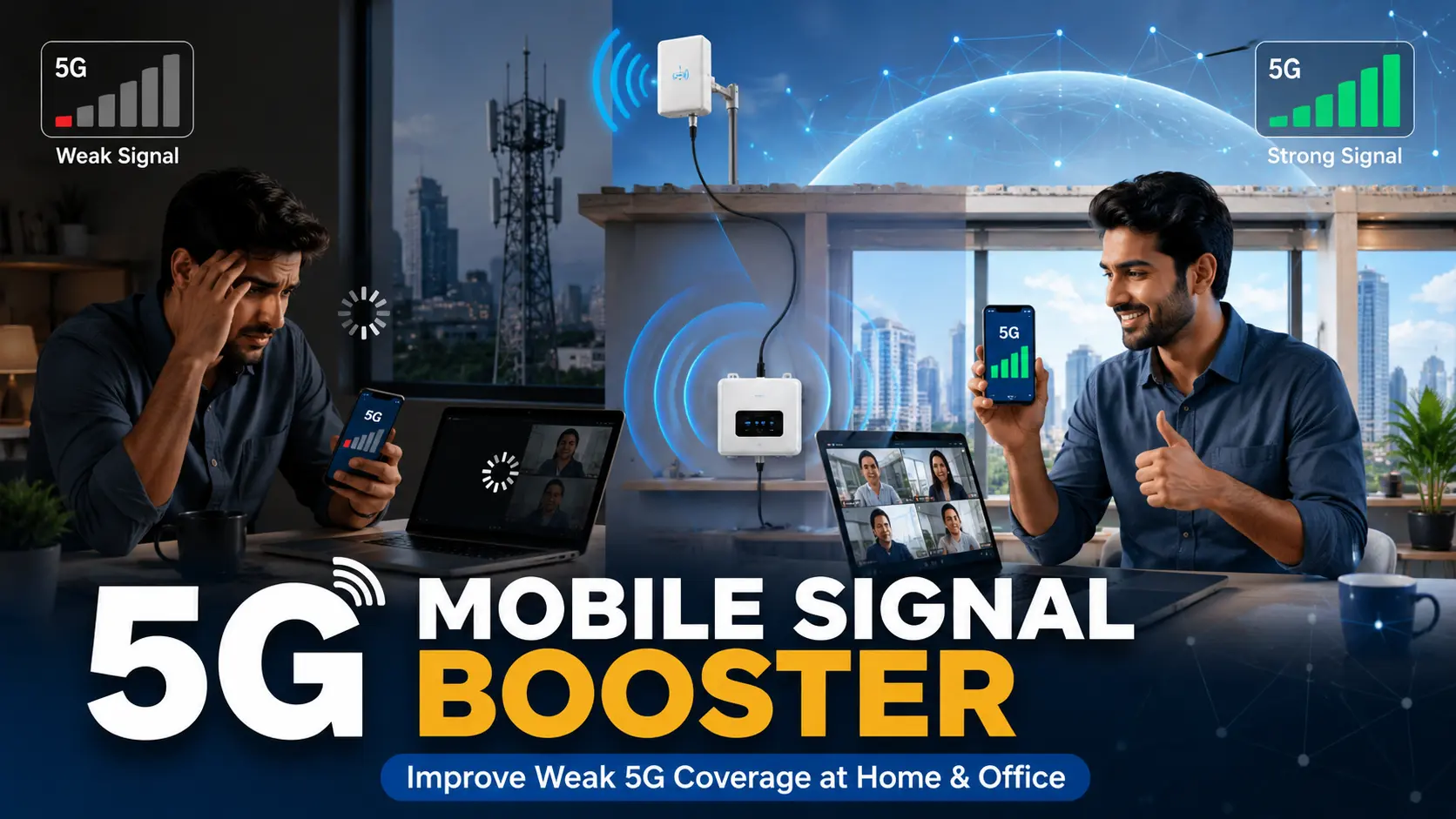
Have you ever looked at your phone and seen a 5G icon, but still struggled with buffering videos, slow downloads, or dropped calls? If so, you’re not alone. A 5G mobile signal booster can often solve weak indoor network problems that affect homes, offices, and commercial spaces across India. Many people assume poor 5G coverage is simply something they have to live with. What most users don’t realize is that a 5G mobile signal booster is designed specifically to improve mobile network reception inside buildings where signals are weak. Whether you’re using Jio, Airtel, or Vi, understanding how signal boosters work can save you from frustrating connectivity issues. By the end of this article, you’ll know exactly what to buy, how it works, and what it costs in India. What Is a 5G Mobile Signal Booster and How Does It Work? A 5G mobile signal booster is a device that captures weak outdoor mobile signals, amplifies them, and redistributes stronger signals indoors. Most systems consist of three main components: * An outdoor (donor) antenna * A signal amplifier unit * An indoor antenna The donor antenna captures the existing mobile signal from nearby towers. The amplifier strengthens that signal, and the indoor antenna broadcasts improved coverage throughout the building. Unlike software-based solutions, a booster works with actual radio frequency signals. It strengthens both incoming and outgoing communication, which is why it is often called a bi-directional amplifier. Many people mistakenly think signal boosters create network coverage from nothing. In reality, they enhance an existing weak signal. If there is absolutely no signal outside the building, a booster may not be effective. Is a 5G Signal Booster Different From a WiFi Booster? Yes, completely. A WiFi extender improves coverage from your broadband router. It does not affect your mobile network signal. A 5G mobile signal booster works directly with your telecom provider’s network frequencies. It improves mobile voice calls, SMS services, and mobile data connectivity. Similarly, not all 4G boosters automatically support 5G frequencies. Compatibility depends on the frequency bands supported by the booster. 5G Mobile Signal Booster for Home — Do You Really Need One? Many homeowners are surprised to learn that modern buildings often block mobile signals. A **5G mobile signal booster for home** can be particularly useful in apartments, villas, basements, and high-rise buildings where signals struggle to penetrate walls and windows. 5G networks, especially higher-frequency deployments, can be affected by: * Reinforced concrete walls * Metal structures * Energy-efficient glass * Basement locations * Dense urban construction Imagine you’re working from home in Mumbai and every video meeting freezes despite having a 5G plan. Or perhaps you’re a student attending online classes from a bedroom that consistently shows only one signal bar. These are common situations where a booster can help. Families with elderly members may also benefit from stronger mobile coverage because reliable connectivity can be critical during emergencies. Which Rooms Need a 5G Booster Most? The rooms furthest from windows often experience the weakest signal. Basements, interior bedrooms, conference rooms, home offices, and storage areas are frequently mobile dead zones. Before installing a booster, it is a good idea to check signal strength in different rooms to identify problem areas. This helps determine the appropriate indoor coverage requirement. 5G Mobile Signal Booster for Office Use — What’s Different? A 5G mobile signal booster for office environments requires a different approach compared to residential installations. Offices typically have: * Larger coverage areas * Multiple floors * More users connected simultaneously * Greater demand for uninterrupted connectivity Poor mobile coverage in an office can impact customer calls, cloud applications, video conferences, and team communication. Warehouses often face unique challenges because large metal structures can interfere with signal propagation. Co-working spaces may have dozens or even hundreds of users relying on mobile data throughout the day. The biggest difference is scale. While a home may need coverage for a few rooms, an office may require coverage across thousands of square feet. How Many Boosters Does a Large Office Need? The answer depends on the building layout and coverage requirements. Large offices often use distributed antenna systems or multiple indoor antennas connected to a central amplifier. A multi-floor office may require separate coverage zones to ensure consistent signal quality throughout the building. Professional site surveys are usually recommended for larger commercial installations because coverage requirements vary significantly from one property to another. 5G Mobile Signal Booster for Jio and Airtel — Will It Work With My Network? One of the most common questions buyers ask is whether a booster will work with their mobile operator. A **5G mobile signal booster for home Jio** users may require support for different frequency bands compared to other networks. Currently, Jio’s 5G rollout heavily utilizes: * n78 (3300 MHz band) * 700 MHz spectrum in selected deployments Meanwhile, a **5G mobile signal booster for home Airtel** users may need support for: * n78 (3300 MHz band) * 2100 MHz spectrum in certain network configurations Because operators use different frequency combinations, checking compatibility before purchase is essential. A booster that supports only one frequency may not deliver the expected performance if your operator primarily uses another band in your area. Can One Booster Work for Both Jio and Airtel? Yes, if it is a multi-band booster. Multi-band systems are designed to support multiple frequencies simultaneously, making them suitable for households or offices where different users rely on different network providers. For example, if you’re on a Jio 5G plan but your Mumbai flat is a dead zone, while another family member uses Airtel, a compatible multi-band solution may support both users. Before buying, always verify: * Supported frequency bands * Operator compatibility * Indoor coverage rating * Local network deployment details 5G Mobile Signal Booster Price in India — What Should You Expect to Pay? The **5G mobile signal booster price in India** varies depending on several factors, including coverage area, supported frequency bands, amplification power, and installation requirements. Small – Budget –
Is Mobile Signal Booster Legal in India? Network Booster 2026 DoT Rules
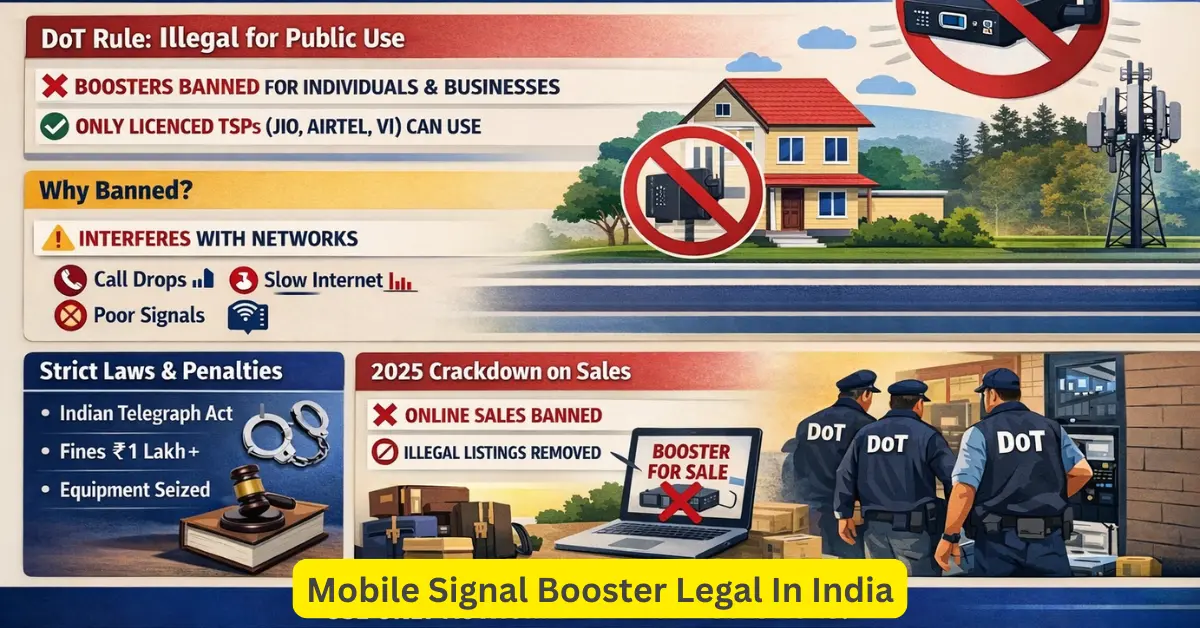
You’re fed up. Calls drop in the middle of an important conversation. Your internet crawls to a halt the moment you step inside your home or office. Someone suggests: “Just buy a signal booster.” Sounds simple, right? But before you place that order on Amazon or Flipkart, there’s something critical you need to know — using the wrong kind of mobile signal booster in India can land you in legal trouble. We’re not exaggerating. In this guide, we break down exactly what the Department of Telecommunications (DoT) says about signal boosters in India, which devices are legal, what the penalties are, and — most importantly — how you can fix your weak signal the right, legal way. What Is a Network Booster and Is It the Same as a Signal Booster? A mobile network booster (also called a signal booster, signal repeater or amplifier) is a device designed to pick up weak cellular signals, amplify them, and rebroadcast the stronger signal inside a building, home, office, or vehicle. A standard booster system has three main parts: Outdoor antenna — captures the existing weak signal from a nearby tower Amplifier/booster unit — strengthens that signal Indoor antenna — broadcasts the boosted signal inside your space On paper, it sounds like the perfect fix. And in countries like the US (where FCC-certified boosters are fully legal for consumers), it often is. But in India, the rules are very different. The Legal Position in India: What DoT Says Here’s the hard truth: in India, private individuals and companies are NOT allowed to buy, possess, sell, or use mobile signal boosters/repeaters on their own. The Department of Telecommunications (DoT), under the Ministry of Communications, issued a clear advisory on July 1, 2022, reaffirming this position. The official advisory states that it is unlawful for any individual or entity — other than licensed Telecom Service Providers (TSPs) — to possess, sell, or use mobile signal repeaters and boosters. This is not a new rule. It is backed by two long-standing laws: The Indian Telegraph Act, 1885 The Indian Wireless Telegraphy Act, 1933 Both laws give the Central Government exclusive control over the establishment and operation of wireless telegraphy equipment — a category that includes signal boosters and repeaters. “It is unlawful to possess, sell, and/or use mobile signal repeater/booster by any individual/entity other than the licensed Telecom Service Providers.” — DoT Official Advisory, July 2022 “As of 2026, the DoT rules on this remain unchanged — here’s what you need to know.” Why Does India Restrict Signal Boosters? This is the question most people ask. If a booster improves your signal, why would the government ban it? The reason is network interference. An unauthorized signal booster doesn’t just boost your signal — it can actively disrupt the signal quality of everyone around you. Here’s why: Low-quality or misconfigured boosters transmit on the same licensed frequency bands as Airtel, Jio, Vi, and BSNL towers. This creates interference that degrades signal quality for nearby users — people who have nothing to do with your booster. In worst-case scenarios, boosters can disrupt access to emergency services like police and ambulance helplines. The Cellular Operators Association of India (COAI) has consistently flagged unauthorized boosters as a major cause of call drops and poor network quality across India. So it’s not about restricting convenience — it’s about protecting an entire network from a single device causing chaos. What About Boosters Sold on Amazon and Flipkart? This is where it gets confusing for most people. You open Amazon, search “mobile signal booster India,” and you find dozens of products — some priced as low as ₹3,000, others going up to ₹30,000. They all look legitimate. Many have hundreds of reviews. But here’s the truth: most of these products are unauthorized and technically illegal to purchase and use in India. The DoT has previously issued warnings to e-commerce platforms asking them to stop facilitating the sale of unauthorized signal jamming and boosting devices. The problem is enforcement — online marketplaces are vast, and individual product listings often slip through. Just because a product is available for sale online does not mean it is legal to use. Buying and using such a device exposes you to penalties under Indian telecom law. Who CAN Legally Use a Signal Booster in India? Under Indian law, only licensed Telecom Service Providers (TSPs) — meaning Jio, Airtel, Vi, BSNL, and MTNL — are authorized to deploy signal boosters and repeaters as part of their network infrastructure. This means the legal path to getting a signal booster installed at your home, apartment building, office, hospital, or commercial complex is through your telecom operator — not through a third-party retail purchase. The WPC Wing (Wireless Planning and Coordination Wing) under DoT controls all licensing for radio frequency-based equipment, including signal boosters. Any equipment deployed must be authorized, comply with technical standards, and must not interfere with existing licensed telecom frequencies. The Compliant Route: Operator-Approved In-Building Solutions Operators like Jio and Airtel do offer what are known as In-Building Solutions (IBS) or Distributed Antenna Systems (DAS) — professional-grade installations designed for large buildings, residential complexes, offices, hospitals, malls, and commercial properties. These solutions: Are installed and maintained by the telecom operator or their authorized partners Are fully compliant with DoT and WPC guidelines Do not interfere with other users or networks Are ideal for large high-rise apartment buildings, office towers, and multi-floor commercial spaces The right approach is to contact your telecom provider — or work with a professional in-building network solutions company — to get a compliant system deployed. What Are the Penalties for Using an Unauthorized Signal Booster? Using an unauthorized signal booster in India is a punishable offence. Here’s what you risk: Monetary fines ranging from ₹1 lakh to ₹2 lakh or more, depending on the severity of interference caused Confiscation of the booster device by telecom authorities Legal action under the Indian Wireless Telegraphy Act, 1933 and the Indian Telegraph Act, 1885 Potential imprisonment in
How to Choose the Right Mobile Signal Booster in Mumbai (Ultimate Guide)
You’re in the middle of an important call — and it drops. Again. You’re living in a high-rise in Andheri, working from a basement office in Bandra, or running a business from Navi Mumbai — and your phone shows one bar no matter what network you use. You’re not imagining it. And no, it’s not your SIM card. Mumbai’s dense construction, thick concrete walls, and packed urban infrastructure block mobile signals more than almost any other city in India. The good news? A mobile signal booster can fix this — completely and permanently. But here’s the problem: most people buy the wrong booster. They pick the first result they see online, it doesn’t work, and they’re stuck with a useless device. This guide will help you avoid that mistake. Follow these four steps to choose the right mobile signal booster for your area, your network, and your space in Mumbai. Why Is Your Mobile Signal Weak in Mumbai? Before you buy anything, it helps to understand why your signal is weak. The problem usually isn’t your network provider — it’s your environment. Thick Concrete Walls in High-Rise Buildings Most apartments in Mumbai — especially in Andheri West, Borivali, Malad, and Powai — are built with thick reinforced concrete. Cell tower signals struggle to penetrate these walls. The higher your floor, the more floors of concrete the signal has to fight through before it reaches you. Basement Parking, Underground Offices, and Dead Zones Signal strength drops dramatically underground. If you’re in a basement office in Worli, a parking garage in Dadar, or a server room in Lower Parel — you’re in a radio frequency dead zone. No amount of “switching to a different network” will help here. New Construction in Navi Mumbai and Thane Rapidly developing areas like Thane, Kharghar, and Panvel have new residential towers going up faster than cell tower infrastructure can keep up. Your building may simply be too far from the nearest active tower — or blocked by newer buildings around it. Understanding your specific situation will help you pick the right booster for your exact Mumbai location. Understanding dBm — What Your Signal Strength Actually Means Most people look at the signal bars on their phone and think that’s enough. It’s not. Those bars are just a visual shortcut — and every phone brand displays them differently. The real measure of signal strength is dBm (decibel-milliwatts), and understanding it will help you choose a booster with the right power level for your situation. What Is dBm and Why Does It Matter? dBm measures the actual power of the signal your phone is receiving from the cell tower. It’s always a negative number — the closer to zero, the stronger your signal. Here’s a simple reference chart for Mumbai: dBm Range Signal Quality What It Means in Mumbai -50 to -70 dBm Excellent You’re near a tower — likely an open terrace or ground floor -70 to -85 dBm Good Typical signal in most well-located Mumbai apartments -85 to -100 dBm Weak Common inside high-rise interiors, behind thick concrete walls -100 to -110 dBm Very Weak Basements, deep interior rooms, areas far from towers Below -110 dBm No Signal Dead zones — underground parking, server rooms, remote areas How to Check Your dBm in Mumbai On Android: Go to Settings → About Phone → SIM Status → Signal Strength. You’ll see a number like “-97 dBm” — that’s your real signal. On iPhone: Dial *3001#12345#* and tap Call to open Field Test mode. Your dBm reading will appear in the top-left corner (or in the dashboard on newer iPhones). Why dBm Matters When Choosing a Mobile Signal Booster A booster’s job is to take that weak outdoor signal and amplify it indoors. If your outdoor signal is -85 dBm or stronger, even a mid-range booster will work beautifully. But if your outdoor reading is below -100 dBm — as is common in deep basement offices in Dadar or lower floors of densely packed buildings in Dharavi — you’ll need a high-gain booster of 65 dB or more to compensate. Always check your outdoor dBm before buying. It determines exactly how powerful a booster you need. Step 1 — Identify Your Network and Frequency Bands This is the single most important step. A signal booster only works if it supports the frequency band your carrier uses in your area. Here’s a full breakdown of every major network operating in Mumbai. Complete Frequency Band Reference Table — Mumbai (2026) Network Technology Band Number Frequency Use Jio 4G LTE Band 5 850 MHz Primary 4G (best indoor coverage) 4G LTE Band 3 1800 MHz Secondary 4G 5G NR n28 700 MHz 5G (strong indoor penetration) 5G NR n78 3500 MHz 5G (high speed, shorter range) Airtel 4G LTE Band 3 1800 MHz Primary 4G 4G LTE Band 1 2100 MHz Secondary 4G (urban areas) 4G LTE Band 40 2300 MHz High-capacity 4G (dense zones) 5G NR n78 3500 MHz 5G (Mumbai metro areas) Vi (Vodafone Idea) 2G/3G Band 8 900 MHz Voice + 3G fallback 4G LTE Band 3 1800 MHz Primary 4G 4G LTE Band 1 2100 MHz Secondary 4G BSNL 2G/3G Band 8 900 MHz Voice + data (suburban Mumbai) 4G LTE Band 28 700 MHz 4G (expanding in Mumbai) 3G Band 1 2100 MHz 3G data Lower frequency bands (700–900 MHz) penetrate thick concrete walls and travel farther — ideal for high-rise apartments and basements. Higher frequency bands (1800–3500 MHz) carry more data but have shorter range and weaker wall penetration. If you’re in a deep interior flat in Borivali or a basement in Bandra, prioritise a booster that supports the lower-frequency bands of your network. Jio Frequency Bands in Mumbai Jio is the strongest network for indoor use in Mumbai because of its Band 5 (850 MHz) — a low-frequency band that cuts through concrete easily. For 5G, Jio’s n28 (700 MHz) is also excellent for penetrating walls, while n78 (3500 MHz) delivers fast speeds
4G vs 5G Signal Booster: Which One Do You Actually Need?
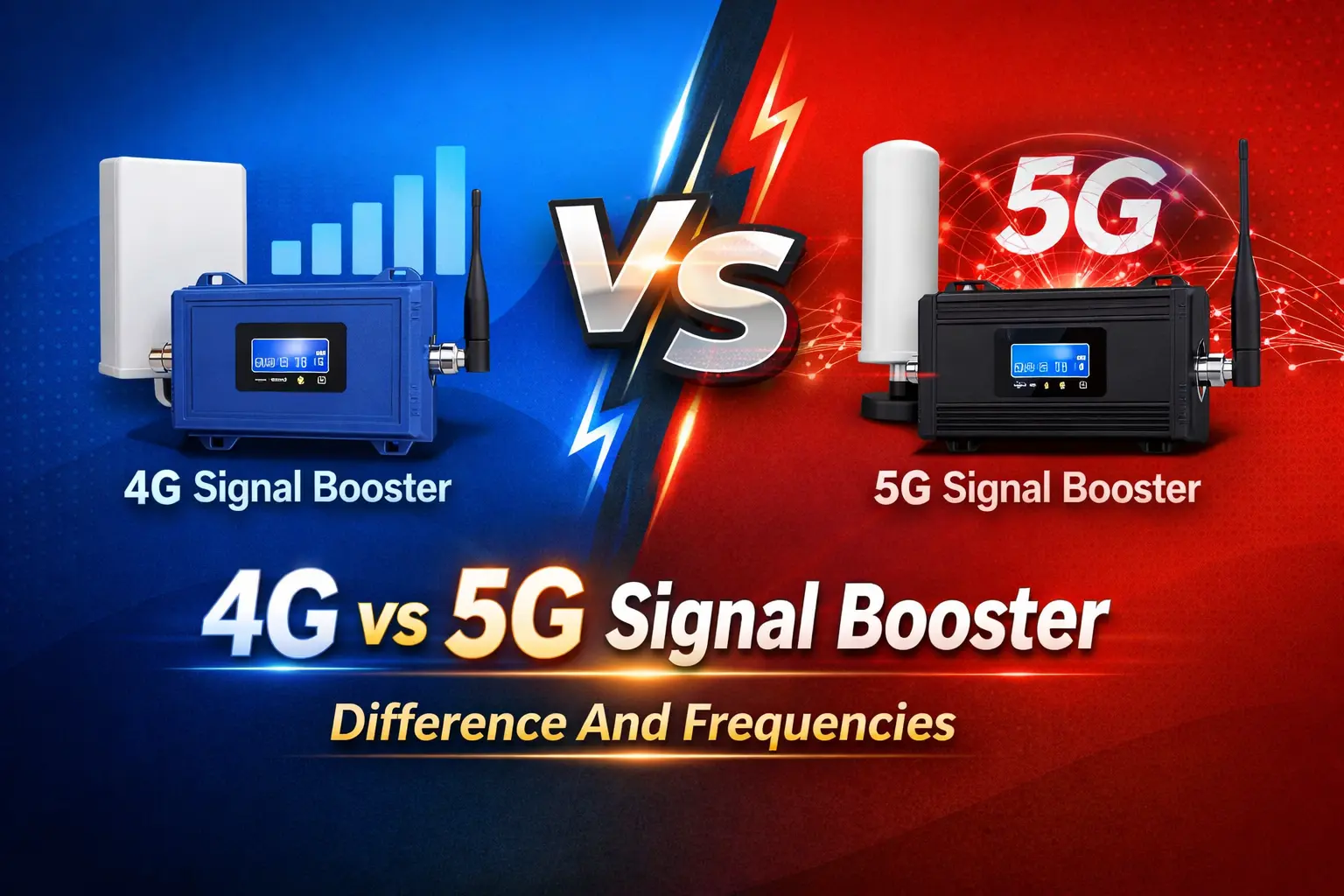
Picture this: you’re in a meeting room in Mumbai, your phone shows “5G” in the corner, but the call keeps breaking up. Or you’re working from a flat in Delhi with thick concrete walls, and data speeds crawl to a halt the moment you step away from the window. Sound familiar? India’s 5G rollout has been genuinely impressive. According to the Department of Telecommunications, 5G services are now available in 99.9% of India’s districts, with over 5 lakh base stations installed nationwide by October 2025. On paper, the network is everywhere. But “covered” on a map and “usable inside your building” are two very different things. Concrete walls, glass facades, and building materials block radio signals — regardless of whether they’re 4G or 5G. That’s where a mobile signal booster comes in. And right now, millions of Indians are asking the same question: should I get a 4G booster or invest in a 5G one? This guide answers that question plainly. No jargon overload — just the information you need to make the right call for your home or office. If you’re not sure how a signal booster works in the first place, start there — then come back here to decide which generation fits your situation. 4G vs 5G signal booster – What’s the Real Difference Between? At their core, a 4G booster and a 5G booster do the same thing: they capture a weak outdoor signal, amplify it, and rebroadcast it inside your building. The difference lies entirely in which radio frequencies each device is built to handle. How 4G Boosters Work — and Why They’re Still Dominant A 4G mobile signal booster is designed to amplify the frequency bands your LTE network runs on. In India, that means bands like 1800 MHz (Band 3), 2100 MHz (Band 1), and 850 MHz (Band 5) — used by operators like Airtel, Jio, Vi, and BSNL for their 4G services. These boosters are mature technology: well-tested, widely available, and highly effective at eliminating dead zones indoors. Think of them like a water pump — they take the weak pressure trickling in from outside and push it into every corner of your space. For the vast majority of users in India today — whether in a home, a café, or a mid-size office — the reason your signal drops indoors is a 4G LTE problem, not a 5G one. A quality 4G network booster solves it completely. What a 5G Signal Booster Actually Does Differently A 5G-capable booster is engineered to handle additional frequency bands introduced for 5G — most importantly, the n28 (700 MHz) and n78 (3300–3800 MHz) bands that Jio and Airtel use for their 5G networks in India. The 700 MHz low-band offers great indoor penetration, while the mid-band n78 delivers the faster speeds most people associate with 5G. A 5G booster doesn’t replace your 4G booster — it extends what’s possible. The best models handle both generations simultaneously, so you get strong LTE as a fallback and 5G speeds where the signal supports it. 4G vs 5G signal booster – The Frequency Band? Here’s the thing most people miss: buying a “5G booster” doesn’t automatically mean you’ll get 5G speeds inside. What actually determines performance is whether the booster supports the specific frequency bands your operator uses in your city. 4G vs 5G signal booster – Which Frequency Bands Does Each Booster Support? Feature 4G Signal Booster 5G Signal Booster Primary Bands 850, 1800, 2100 MHz 700 MHz (n28), 3300–3800 MHz (n78) + 4G bands Works With mmWave (26 GHz)? No No — no consumer booster can Supports Mid-Band 5G (n78)? No Yes (select commercial models) Suitable for Homes? Yes Yes (if 5G available outside) Suitable for Offices? Yes Yes — future-ready Price Range (India) ₹15,000 – ₹60,000 ₹40,000 – ₹1,50,000+ Availability Widely available Growing It’s also critical to understand what cannot be boosted. High-band 5G (mmWave, above 24 GHz) cannot be amplified by any standard consumer or commercial booster — these signals travel only short distances and are primarily used outdoors in stadiums and dense city centres. No booster on the market changes this physics. 4G vs 5G signal booster – Does Your Area Even Have 5G Signal to Boost? A booster cannot create signal from nothing — it can only amplify what already exists outside your building. Before spending on a 5G booster, check your actual outdoor signal strength in dBm, and confirm your operator provides 5G in your specific locality (not just your city). Jio’s 5G availability leads at over 70% of the time for its subscribers, while Airtel’s standalone 5G network is strong in metros — but coverage varies significantly by neighbourhood. Is a 5G Signal Booster Worth the Extra Cost in India? This is the question that matters most. The honest answer depends on where you are and what you actually need today. When a 4G Booster Is the Smart Choice You’re in a Tier 2 or Tier 3 city where 5G mid-band coverage is still being built out. Your primary pain point is call drops and slow LTE data indoors — a 4G mobile signal amplifier solves this completely. You’re working with a limited budget and need results now, not in 18 months. Your operator (Vi, BSNL) has limited 5G rollout in your area. You run a small retail shop, restaurant, or home office where 4G speeds are entirely sufficient. For the majority of homes, small offices, and businesses in India today, a high-quality 4G network booster delivers everything you need: clear calls, reliable data, eliminated dead zones — at a fraction of the cost of a 5G-ready system. When to Invest in a 5G-Ready Booster You’re in a major metro (Mumbai, Delhi, Bengaluru, Hyderabad, Chennai) with confirmed mid-band 5G from Jio or Airtel in your area. You run a commercial space — a large office, hotel, hospital, or co-working centre — where future-proofing infrastructure makes financial sense. Your work demands high-bandwidth tasks like 4K video conferencing, large file transfers,
How Signal Boosters Improve Connectivity in Mumbai’s High-Rise Areas
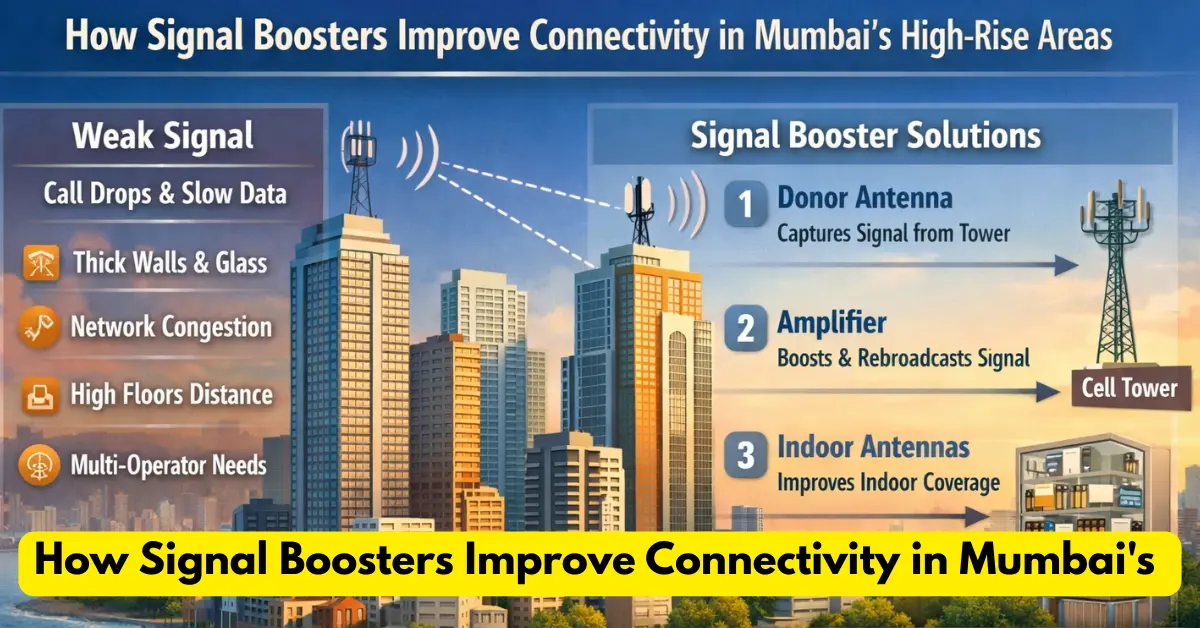
Mumbai’s skyline of glass-and-concrete towers looks stunning — but those same materials and the city’s density create real headaches for mobile connectivity. In high-rise residences and commercial towers, weak signals, frequent call drops and slow data are common. Properly designed signal-boosting solutions — installed in coordination with telecom operators — can dramatically improve voice and data performance indoors. This article explains how they work, why high-rises struggle, legal/regulatory considerations in India, practical options for building owners, and a step-by-step checklist for improving connectivity the right way. Why high-rises in Mumbai have poor mobile signal connectivity A few consistent factors make skyscrapers connectivity-challenged: Material penetration loss: Reinforced concrete, metal frames, and energy-efficient glass attenuate radio signals so outdoor tower signals struggle to reach deep inside buildings. Line-of-sight and distance: Taller floors can be farther (in RF terms) from the nearest macro cell or have blocked line-of-sight, reducing received signal strength. Network congestion: Dense user concentration in residential towers or office floors increases demand; when many users compete for limited radio resources, perceived signal quality and speeds fall. Multi-operator complexity: Multi-tenant buildings need coverage for several mobile network operators (MNOs) — requiring coordinated solutions to serve everyone reliably. These are engineering realities that must be addressed with a combination of careful radio planning and the right indoor coverage technology. What a signal booster actually does to improve mobile signal in mumbai There are several indoor coverage technologies. The two most common approaches for high-rises are in-building solutions (IBS) — often implemented via Distributed Antenna Systems (DAS) or small cells — and operator-grade repeaters/amplifiers when permitted. Basic components and operation (signal boosters / repeaters) A typical repeater/amplifier-based setup has three parts: Donor (outdoor) antenna — mounted where it can pick up the strongest outdoor signal from the operator’s tower. Amplifier (the booster) — receives the donor antenna feed, amplifies the radio signals, and sends them to indoor antennas. It also forwards uplink signals back to the tower. Indoor antennas — distributed through the building (floor-by-floor or by zones) to radiate the amplified signal where users are located. When engineered well, the system reduces call drops, increases call quality and boosts mobile data speeds inside the building. (General descriptions of IBS/DAS and repeaters are standard in telecom engineering references.) Distributed Antenna Systems (DAS) & Small Cells DAS spreads many low-power antennas around a building connected to a central signal source; it’s ideal for large high-rises and multi-tenant complexes. Small cells are compact base stations that provide local coverage and capacity; they’re useful where capacity (many simultaneous users) is the bottleneck. Both options are widely used by operators as in-building solutions and are scalable to serve multiple operators when designed as a neutral host or multi-operator DAS. Read More : What Is Mobile Signal Amplifer Legal and regulatory landscape in India (what building owners must know) Important: in India the possession, sale or use of mobile signal repeaters/boosters by private parties is tightly regulated. Government and telecom authorities have repeatedly warned that unauthorised repeaters or consumer boosters may be unlawful and can cause interference with operator networks. Building owners and managers should never install grey-market boosters without operator approval. Key regulatory points: The Department of Telecommunications (DoT) has issued advisories that it is unlawful for individuals or entities other than licensed Telecom Service Providers to possess, sell or use mobile signal repeaters/boosters. Customs and other agencies restrict imports of unauthorised repeaters to prevent interference and protect network quality. The CBIC has instructed field offices to allow only DoT-approved mobile signal equipment. TRAI publishes regulations and guidance related to quality of service and in-building solutions; operators typically deploy IBS/DAS or small cells in coordination with regulators and building owners. For legal compliance, always seek operator approval and documented permission before installing any active RF equipment. Bottom line: don’t buy or plug in consumer boosters from marketplaces. Work with the building’s management and the mobile network operators (or accredited vendors) to deploy approved IBS/DAS or small cell solutions. How properly-installed mobile signal boosters improve real metrics When an in-building solution is engineered and deployed correctly, building occupants will typically observe: Fewer call drops and better call clarity — because phones see stronger, more stable RSSI and SINR indoors. Faster and more consistent data speeds — uplink/downlink throughputs improve when the handset has a stronger, cleaner radio link. Better battery life on phones — devices spend less power trying to find or hold a weak external signal. Higher capacity for many users — DAS or small cells can be sized to handle heavy user density (office floors, multiplexes, residential complexes). Case studies and operator whitepapers show that a professionally engineered IBS/DAS can reduce drop rates and increase average throughput substantially compared with no indoor solution. Practical steps for building owners and facility managers in Mumbai Run a professional RF site survey. Don’t guess — get an RF engineer to map dead zones, measure tower direction and signal levels on each floor. Engage the mobile operators early. MNOs may already have in-building plans or preferred neutral-host vendors. Joint planning avoids later regulatory or interference headaches. (Mumbai examples show operator/authority coordination matters.) Choose the right technology: small building = passive booster or small cell (operator-approved); large tower or multi-tenant = DAS / neutral host IBS. Use licensed, certified equipment and accredited integrators. Make sure vendors have approvals and the installation follows DoT/TRAI/operational guidelines. Plan for multi-operator requirements. If several operators need coverage, request a multi-operator DAS or neutral-host solution to avoid later disputes. Document permissions and SLAs. Secure written agreements covering maintenance, uptime expectations, and responsibility for interference issues. Cost considerations & ROI Upfront costs vary widely: a small passive system for a single-owner building can be relatively modest; a full active DAS for a multi-tower complex or commercial skyscraper is a larger CAPEX project. Ongoing costs include maintenance, power, and potential service charges if a neutral-host vendor or operator manages the system. ROI shows up as tenant satisfaction, reduced complaints, higher rental desirability for offices/residences, and fewer service
How to Boost Mobile Signal Without a Booster
In today’s connected world, staying online is no longer optional—it’s a daily necessity. Whether we’re working from home, talking to loved ones, attending online classes, or simply browsing the internet, a strong and stable mobile signal plays a major role. However, weak signal issues like call drops, slow browsing, or poor voice clarity still happen more often than they should. Many people turn to mobile signal boosters for help, but these devices are not always practical, affordable, or legal. The good news is that you can improve your mobile signal without using any booster. With a few smart adjustments and techniques, you can significantly enhance your signal strength and enjoy a much better mobile experience. This guide explains proven, effective, and easy-to-follow methods to help you boost your network strength naturally. 1. Optimize Your Location Where you use your phone plays a huge role in how strong or weak your signal is. Mobile signals can get blocked or weakened by obstacles around you. Why Location Matters Mobile signals lose strength when passing through: Thick concrete walls Metal doors or frames Glass windows with reflective coating Basement or underground structures If you’re inside a building, the signal may already be weak outside — and once it passes through these barriers, it becomes even weaker. What You Can Do Move closer to a window: This reduces the physical barriers between your phone and the nearest cell tower. Open the window: Even a partially open window can allow signals to enter more freely. Move to a higher floor: Higher floors usually receive better signals because there are fewer obstructions. Go outdoors: If you’re inside a basement or a ground-floor room, stepping out can instantly improve signal reception. Making small adjustments in your physical location often boosts your network bars immediately. 2. Adjust Your Phone’s Settings Your smartphone comes with built-in network settings that influence how it connects to towers. Adjusting these settings can help improve weak signals. Use Airplane Mode to Refresh Signal When your mobile gets stuck trying to connect to a weak tower, toggling Airplane Mode forces it to disconnect and reconnect to a stronger one. It resets your phone’s connection and allows it to search for the strongest signal available. How to do it: Turn ON Airplane Mode Wait 10–15 seconds Turn it OFF Your phone will connect to a better tower after the reset. Reset Network Settings Sometimes network settings get corrupted or misconfigured, leading to weak signals or frequent disconnections. Resetting network settings restores everything to default and gives your phone a fresh start. On iPhone:Settings → General → Reset → Reset Network Settings On Android:Settings → System → Advanced → Reset Options → Reset Wi-Fi, Mobile & Bluetooth This will erase saved Wi-Fi passwords and Bluetooth pairings, so reconnect them later. Switch to 3G or 2G in Low-Coverage Areas If 4G or 5G signals are weak in a particular area, your phone may constantly struggle to hold the connection, causing call drops or slow browsing. Switching to 3G or 2G can give you a more stable connection for calling. How to change network mode:Settings → Mobile Network → Preferred Network Type → Choose 3G or 2G This helps especially in rural or remote areas. Read More: How To Check Mobile Signal Strenght 3. Optimize Your Phone’s Position The way you hold or place your phone can also affect signal strength. Hold Your Phone Properly Your phone has internal antennas located at the top, bottom, or sides. Gripping the phone too tightly or covering the antenna areas can block signal reception. To avoid this: Hold the phone lightly Avoid covering the top and bottom sections Try switching to speaker mode if needed This small adjustment can surprisingly improve signal clarity. Use a Signal-Enhancing Case Some phone cases are designed with materials or built-in antennas that help improve reception. While they won’t match the power of a full booster, they can still provide a small, helpful boost in low-signal zones. Look for cases specifically labeled as signal-enhancing or antenna-boosting. 4. Manage and Reduce Interference Many electronic devices and home appliances create electromagnetic interference that weakens your mobile signal without you even noticing. Minimize Electronic Interference Devices like: Microwaves Bluetooth devices Cordless phones Wi-Fi routers Smart TVs …can disrupt mobile signals when you’re too close to them. Keep your phone away from such devices during calls or when using mobile data. Turn Off Unnecessary Connections Your phone’s background connections can interfere with its ability to maintain a strong mobile signal. Turn OFF when not in use: Bluetooth NFC Wi-Fi (if you’re using mobile data) Hotspot This helps your phone prioritize mobile network reception. 5. Use Wi-Fi Calling Wi-Fi calling is one of the most effective ways to handle weak mobile signal indoors. Instead of relying on mobile towers, Wi-Fi calling routes your calls and texts over your Wi-Fi network. This means you can enjoy clear voice calls even with low mobile signal. How to Enable Wi-Fi Calling iPhone:Settings → Phone → Wi-Fi Calling Android:Settings → Network & Internet → Mobile Network → Advanced → Wi-Fi Calling If you have a strong Wi-Fi connection, this single feature can completely eliminate indoor call problems. Read More: – Mobile Signal Boosters VS WI-FI Extenders Use Internet-Based Calling Apps Apps like: WhatsApp Skype Viber Facebook Messenger …let you make voice and video calls using only the internet. This reduces your dependency on mobile towers, especially in low-signal areas. 6. Explore Carrier-Based Solutions Sometimes the issue lies with your mobile provider, not your phone. Most carriers offer tools and solutions to improve connectivity. Request a Femtocell or Microcell These small devices act like mini mobile towers inside your home. They route your signal through your home Wi-Fi network. You can request one from your carrier if your home consistently has poor coverage. Note:They may require a stable broadband connection and sometimes come with additional costs. Report Signal Issues Carriers rely on customer reports to identify weak coverage locations. You can: Call customer care Use
How to Check Mobile Network Strength on Your Phone – Android & iPhone Guide
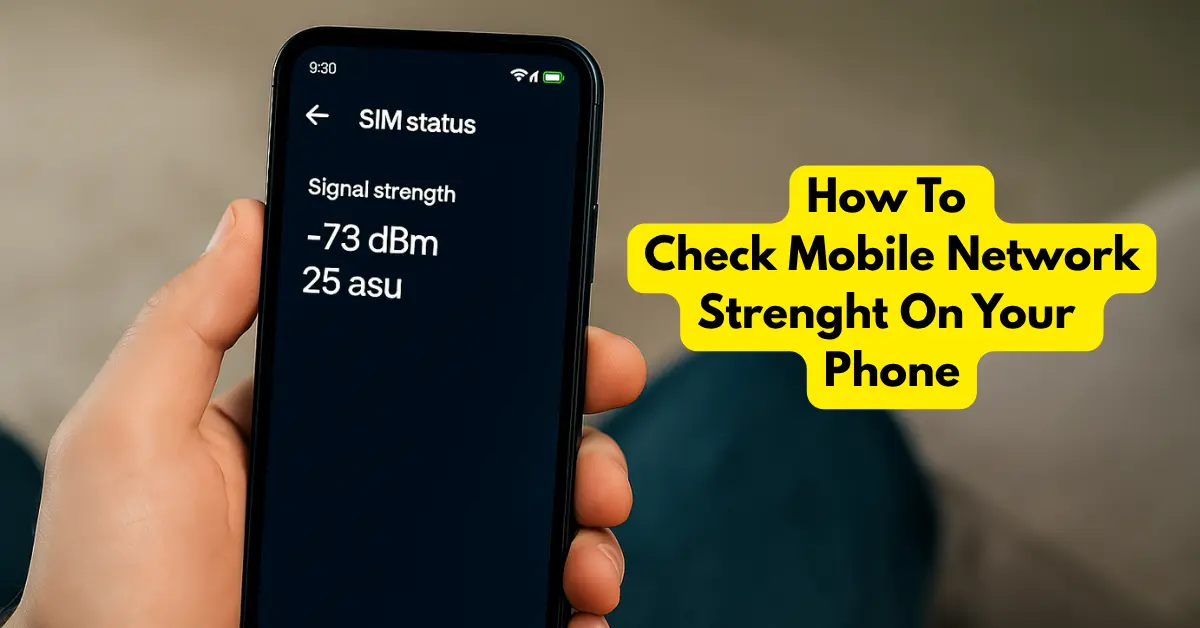
Ever wondered why your phone shows “full bars” but calls still drop? That’s because those signal bars don’t always tell the real story. To truly measure how strong or weak your mobile signal is, you need to check your network strength in dBm (decibel milliwatts) — a more accurate way to analyze signal quality. In this guide, we’ll explain how to check your mobile network strength on both Android and iPhone, what dBm means, and how to improve poor signal strength. 📊 What is Mobile Network Signal Strength (dBm)? Mobile network strength is measured in dBm (decibel milliwatts) — a unit that shows how powerful your phone’s received signal is. Here’s a quick breakdown: Signal Strength (dBm) Quality Description -50 to -70 dBm Excellent Strong signal, clear calls & fast data -70 to -85 dBm Good Stable connection, minor fluctuations -85 to -100 dBm Fair Average quality, occasional drops -100 to -120 dBm Poor Weak signal, slow data, dropped calls Below -120 dBm Very Poor Likely no network or call issues 💡 Note: The closer to -50, the better your signal is. 📲 How to Check Mobile Network Strength on Android Most Android phones allow you to check detailed network information easily. Here’s how: ✅ Method 1: Using Hidden Phone Settings (Field Test Mode) Open the Phone Dialer app. Dial this code: – *#*#4636#*#* Tap “Phone information”. Scroll down and find “Signal Strength.” You’ll see values like -65 dBm or -95 dBm. That’s your real-time mobile signal strength in dBm. ✅ Method 2: Through Network Settings (Some Brands) For certain phones like Samsung, Realme, or Xiaomi, you can also check: Go to Settings → About phone → Status → SIM status. Look for Signal strength. You’ll see readings in dBm and asu (Arbitrary Strength Unit). ✅ Method 3: Using a Network Strength App You can also download apps from Google Play Store like: Network Cell Info Lite OpenSignal NetMonster These apps show detailed signal strength, cell tower info, and coverage maps — ideal for advanced users. 🍏 How to Check Mobile Network Strength on iPhone Apple doesn’t show dBm values directly in the settings, but you can still access it through Field Test Mode. ✅ Steps to Check on iPhone Open the Phone app. Dial this code and press Call: *3001#12345#* This opens Field Test Mode. Go to Serving Cell Measurements or LTE RSRP section. Find values like RSRP -70 dBm or RSRP -95 dBm. 👉 The closer to -70, the better your network signal. You can also go to: Settings → Cellular → Network Selection to check which network you’re connected to and compare signal bars when switching manually. Read More: – Why My Signal Drops 📶 Why Check Signal Strength in dBm? Relying only on the signal bars can be misleading. Checking signal strength in dBm helps you: Identify network coverage issues in your area. Decide if you need a mobile signal booster. Compare different SIM cards or networks. Troubleshoot slow internet or dropped calls. 🏠 How to Improve Weak Mobile Signal If your phone shows a weak signal (like -100 dBm or worse), here are some practical fixes: ✅ 1. Move to an Open Area Walls, metal roofs, or basements block signals. Step outside or near a window. ✅ 2. Switch to 4G/5G Manually In your phone’s Network Settings, choose 4G/5G preferred mode for better coverage. ✅ 3. Restart or Reinsert SIM Card Simple but effective — this refreshes your connection to the nearest tower. ✅ 4. Use Wi-Fi Calling Enable Wi-Fi Calling to make calls using your home internet instead of the mobile network. ✅ 5. Use a Mobile Signal Amplifier If your area consistently has poor network coverage, a mobile signal amplifier (or booster) can significantly improve connectivity indoors. A mobile signal amplifier (also known as a signal booster or repeater) captures weak mobile signals and strengthens them for your home or office. For details, check What is a Mobile Signal Amplifier? If you’re on 4G or 5G, you may see slightly different terms: Term Meaning Ideal Value RSRP Reference Signal Received Power -70 dBm or higher RSRQ Reference Signal Received Quality -10 dB or better SINR Signal to Interference + Noise Ratio Above 20 dB = Excellent RSSI Received Signal Strength Indicator Higher = Better (less accurate for LTE) These metrics are useful for engineers and enthusiasts testing network quality. 🔍 Quick Summary Platform Method Code/App Output Android Field Test Mode *#*#4636#*#* Shows dBm Android (Settings) SIM Status No code Shows dBm & asu iPhone Field Test Mode *3001#12345#* Shows RSRP (dBm) Apps OpenSignal / NetMonster Play Store Full analysis 🧭 Final Thoughts Knowing your real mobile network strength helps you understand why your data is slow or calls are dropping — even when signal bars look full. Next time you face a poor connection, check your dBm readings, try the fixes above, and if needed, consider using a signal amplifier for a permanent solution.
Mobile Signal Boosters vs Wi-Fi Extender: What’s the Difference?
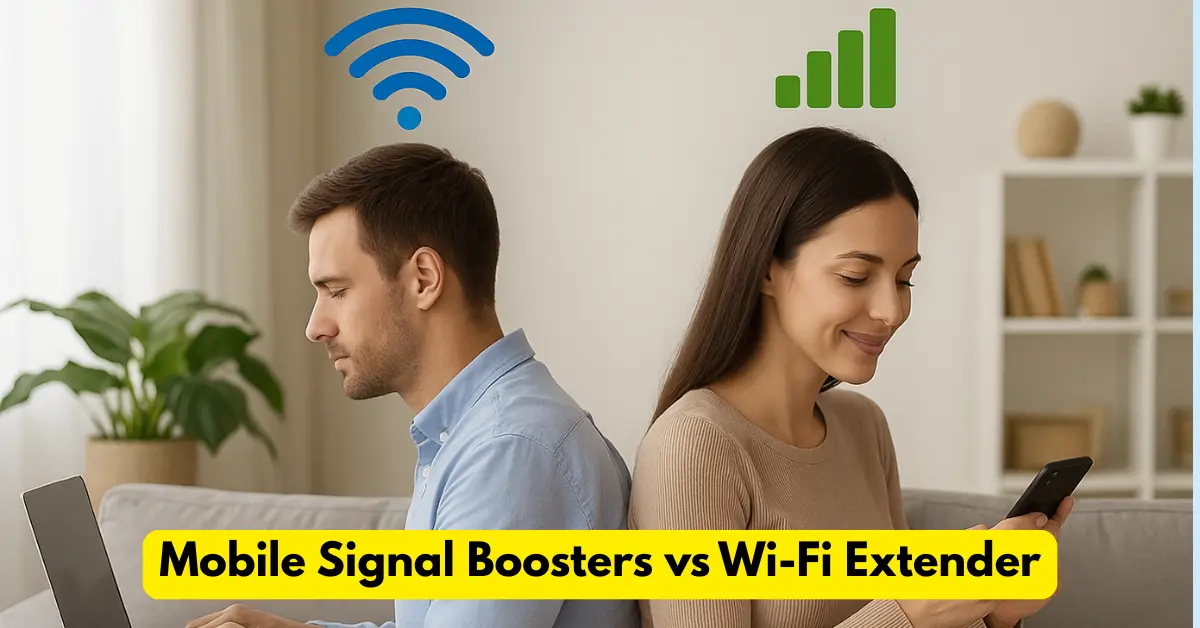
In today’s connected world, staying online is no longer optional—it’s essential. Whether you’re working from home, attending online classes, or streaming your favorite shows, having a stable connection is crucial. Yet, many of us still face two frustrating issues: weak mobile signals and Wi-Fi dead zones. When these problems arise, people often look for solutions like mobile signal boosters and Wi-Fi extenders. While both improve connectivity, they work in completely different ways. This article breaks down the differences, benefits, and drawbacks of each to help you decide which one best suits your needs. What Are Mobile Signal Boosters A mobile signal booster, also known as a cellular repeater or mobile signal amplifier, is a device designed to amplify weak cellular signals. It doesn’t create new signals—it simply strengthens the existing ones received from your nearby cell tower. A typical mobile signal booster setup includes three main components: Outdoor Antenna (Donor Antenna): Captures weak cellular signals from the nearest cell tower. Amplifier Unit: Boosts the strength of the captured signal. Indoor Antenna: Rebroadcasts the stronger signal inside your home, office, or vehicle. These devices support all major cellular networks—2G, 3G, 4G LTE, and even 5G—making them ideal for places where cell coverage is poor, such as rural areas, basements, or buildings with thick concrete walls. According to Mobile Signal Amplifier, a leading brand in signal enhancement technology, boosters can improve call clarity, data speed, and reduce dropped calls by providing a consistent signal throughout your space. Benefits Of Mobile Signal Boosters Improved Call Quality and Fewer Dropped CallsWeak cellular signals can cause poor voice quality or call drops. Boosters enhance your signal strength, ensuring stable and clear communication even in low-signal zones. Faster Data SpeedsA stronger signal means faster uploads, downloads, and smoother streaming. Ideal for professionals relying on mobile data. Better Coverage in Remote AreasIn rural or mountainous regions, cell towers are often miles away. A booster bridges that gap by amplifying the faint signal available outdoors. Works with All Carriers and DevicesUnlike Wi-Fi systems that depend on specific routers or networks, boosters are carrier-independent. They can simultaneously enhance connectivity for all users and all networks within range. No Internet RequiredBoosters rely on cellular towers, not broadband. This means they’ll still work even if your Wi-Fi or internet connection goes down. Reduced Battery DrainPhones use less power when connecting to a strong signal, helping your device’s battery last longer. Benefits and Drawbacks Of Mobile Signal Boosters While mobile boosters offer multiple benefits, there are some practical limitations to keep in mind: ✅Mobile Signal Boosters Pros One-time investment—no recurring costs. Works across multiple rooms or offices. Can be installed in homes, cars, or commercial spaces. ❌ Mobile Signal Boosters Cons Dependent on Existing Signal:A booster cannot create a signal where none exists. If your outdoor signal is zero bars, the device won’t work effectively. Installation Complexity:Proper placement of outdoor and indoor antennas is crucial. If installed incorrectly, performance drops or oscillation (feedback loop) can occur. Cost Factor:High-quality boosters can be expensive upfront, especially for large coverage areas. Regulatory Restrictions:Some regions restrict unlicensed boosters due to potential interference with carrier networks. What is Wi-Fi Extender A Wi-Fi extender, also known as a Wi-Fi repeater or booster, expands the range of your existing wireless network. Instead of amplifying cellular signals, it rebroadcasts your Wi-Fi signal to cover areas your router can’t reach. According to Netgear, Wi-Fi extenders work by receiving your router’s wireless signal and retransmitting it to eliminate dead zones in large homes, offices, or multi-floor buildings. Wi-Fi extenders can be wireless or wired (using Ethernet or Powerline connections). The wired type provides stronger and more stable coverage since it doesn’t halve bandwidth during transmission. Benefits Of Wi-Fi Booster Eliminates Wi-Fi Dead ZonesIf your router’s coverage doesn’t reach every corner of your house, a Wi-Fi extender fills the gaps to ensure seamless connectivity. Easy and Quick SetupMost modern extenders are plug-and-play. You can set them up using a simple app or web interface within minutes. Affordable SolutionCompared to upgrading your router or installing a mesh system, Wi-Fi extenders are a budget-friendly way to boost coverage. Flexible PlacementYou can reposition an extender to target specific weak spots, such as basements or upper floors. No Extra Subscription or Carrier DependencyExtenders work independently of ISPs or mobile networks—just connect to your existing Wi-Fi. Benefits and Drawbacks Of Wi-Fi Extenders ✅ Mobile Signal Boosters Pros Cost-effective and easy to install. Works with any standard Wi-Fi router. Can extend coverage to outdoor areas like balconies or garages. ❌ Mobile Signal Boosters Cons Reduced SpeedWireless extenders typically cut bandwidth by 30–50%, as they receive and retransmit signals simultaneously (Wikipedia). Placement SensitivityIf placed too far from the router, the extender just rebroadcasts a weak signal. Optimal placement midway between the router and dead zone is essential. Possible Latency IssuesSince the signal passes through an extra device, you might experience slightly higher latency, which can affect gaming or video calls. Network Switching HasslesSome extenders broadcast a new SSID (e.g., “Home_WiFi_EXT”), requiring manual switching between networks as you move around. Limited Range for Large HomesFor very large areas, multiple extenders or a mesh network may be more effective. Mobile Signal Boosters vs. Wi-Fi Extender: Which Should You Choose? Although both devices improve connectivity, they solve different problems. A mobile signal booster strengthens your cellular connection (voice, SMS, mobile data) by amplifying tower signals. A Wi-Fi extender, on the other hand, strengthens your internet network coverage inside your home or office. Here’s a quick comparison: Feature Mobile Signal Booster Wi-Fi Extender Primary Function Amplifies mobile/cellular signals Expands Wi-Fi network coverage Requires Internet? ❌ No ✅ Yes Coverage Type Cellular (2G–5G) Wi-Fi (2.4GHz / 5GHz) Ideal For Calls, texts, mobile data Internet browsing, streaming Setup Complexity Moderate Easy Device Dependency Works for all mobile devices Works for Wi-Fi-enabled devices only Works During Internet Outage? ✅ Yes ❌ No Choose Mobile Signal Boosters If: You live in a rural or hilly area with poor cellular coverage. You often experience dropped calls or weak
Why Does My Phone Signal Keep Dropping and How to Fix Them Permanently
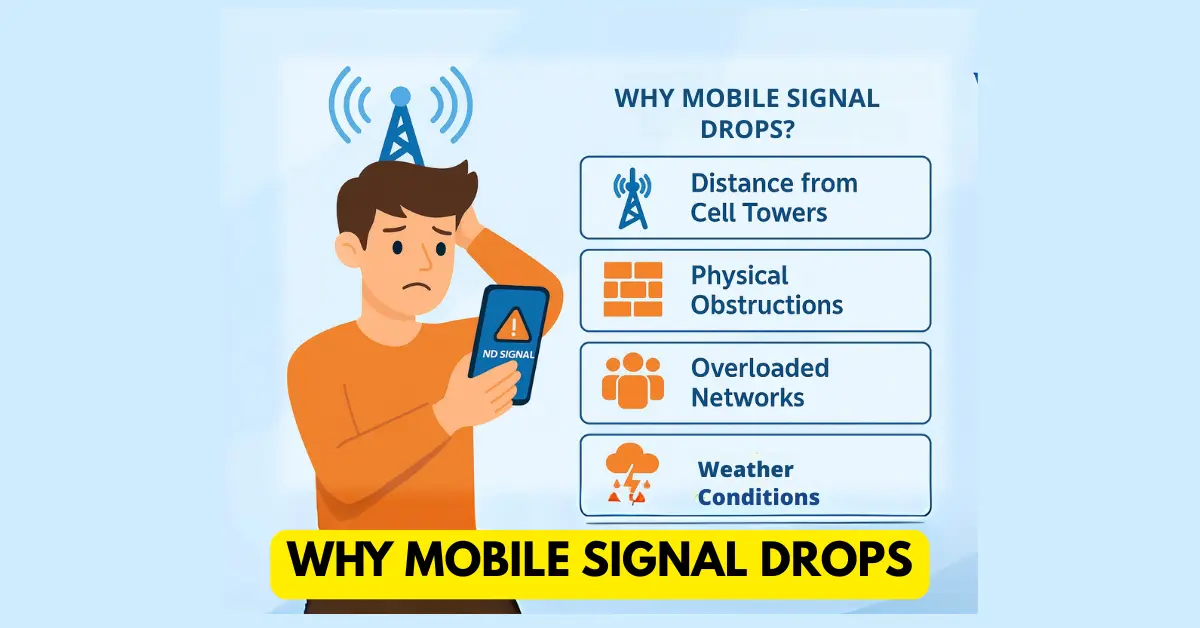
We’ve all experienced when the phone shows “full network bars,” but the call drops out of nowhere, or the video we’re playing keeps buffering, or on a video call, it always shows connecting. When mobile signals drop, it can be frustrating and it can affect to an important conversations and work calls. But what causes mobile signal drops to happen? And most importantly, how can you make sure they never happen again? Let’s look at the reasons and solutions in more depth. Why Does My Phone Signal Keep Dropping? First of all understand the issue. When your phone temporarily loses connection with the nearest cell tower, it drops the mobile signal. This leads to: Call drops while talking Bad voice clarity Mobile data connection was cut off Messages or app notifications that come late This is a problem that happens a lot in India, especially in cities with a lot of buildings and rural areas that are far from towers. The main reasons why phone signal keeps dropping Here are the most common reasons why your cell phone signal keeps dropping: 1) How far away are you from cell towers Distance to the nearest network tower matter the most. Your phone has a hard time keeping a stable connection if you live far away from the nearest cell tower. 2) Things in the way Signals can’t get through thick walls, concrete, or metal roofs. There is often no coverage in basements, elevators, or underground parking. 3) Busy Networks When a lot of people in one place (like a stadium, office, or event) use the same network, it gets crowded and calls drop and speed of mobile data reduces too. 4) The Weather Heavy rain, storms, or very hot weather can make the signal weaker. 5) Barriers in geography Because the ground is uneven, hills, valleys, and remote villages often have trouble connecting to the internet. 6) Problems with the device Your phone might be the problem, not the tower. Signal drops can happen because of old software, problems with the SIM card, or a low battery. Fixes that people try but don’t work for long A lot of people try quick fixes like these: Turning Airplane mode on and off Restarting the phone Switching SIM card slots Standing close to windows or rooftops These tricks might make the signal better for a short time, but they don’t fix the real problem. Long-term fixes for dropped mobile signals Here are some tried-and-true ways to fix the problem for good: 1) Use a Mobile Signal Amplifier (Best Solution) A Mobile Signal Amplifier picks up weak signals from nearby towers, boosts them, and sends them to other places in your home, office, or apartments. With A mobile signal booster, you can experience No Call dropping Increases the speed of 4G and 5G internet Works with more than one user and device Also, work with any network provider. 👉 This is the best and most permanent way to fix weak mobile networks in any city in India. 👉 Always buy from reputable sources and check that the amplifier works with your operator’s frequency band. 2) Change to a better network provider If one operator has consistently bad coverage in your area, you might want to switch to others . If jio is not working properly you can try Airtel, VI, or BSNL, and vice versa. 3) Update your device Smartphones do not support all types of frequency bands; you have to research and buy a phone that supports the bands your network provider supports. All newer smartphones have better antennas and can connect to more frequency bands, which makes connections more stable. Advantages of Making Signal Drops Permanent 📞 Calls that are crystal clear and don’t get cut off ⚡ More speed for browsing, video calls, and streaming on mobile 🏠 Better coverage in every room of your home or office 🚗 Reliable internet access while on the go 💼 Helped businesses increase productivity Frequently Asked Questions Q1: Is it possible to fix call drops without a signal booster? Yes, sometimes you can get better results by switching operators or upgrading your devices. However, a signal amplifier is the best way to get consistent results. Q2: Do signal boosters work in villages? Yes, as long as there is at least a weak signal outside, amplifiers can make it stronger inside your home. Q3: Are boosters safe for your health? Yes. Boosters that TRAI has approved give off less radiation than cell phones, so they are safe to use at home and at work. Q4: Will boosters work for both the internet and voice? Yes. They make calls better and mobile internet speeds faster (4G/5G). Q5: Do I need a different booster for each operator? No. A multi-band booster can boost signals for more than one operator at a time. It can be annoying when your mobile signal drops, but the good news is that you don’t have to live with it. There are many things that can make it hard to connect, like being far away or having too many people on the network. Installing a TRAI-approved Mobile Signal Amplifier is the best and most permanent way to get full coverage, clear calls, and super-fast internet. 👉 Say goodbye to dropped calls for good! Visit Mobile Signal Amplifier today to see our selection of mobile signal amplifiers.
What is a Mobile Signal Amplifier and How Does It Work?
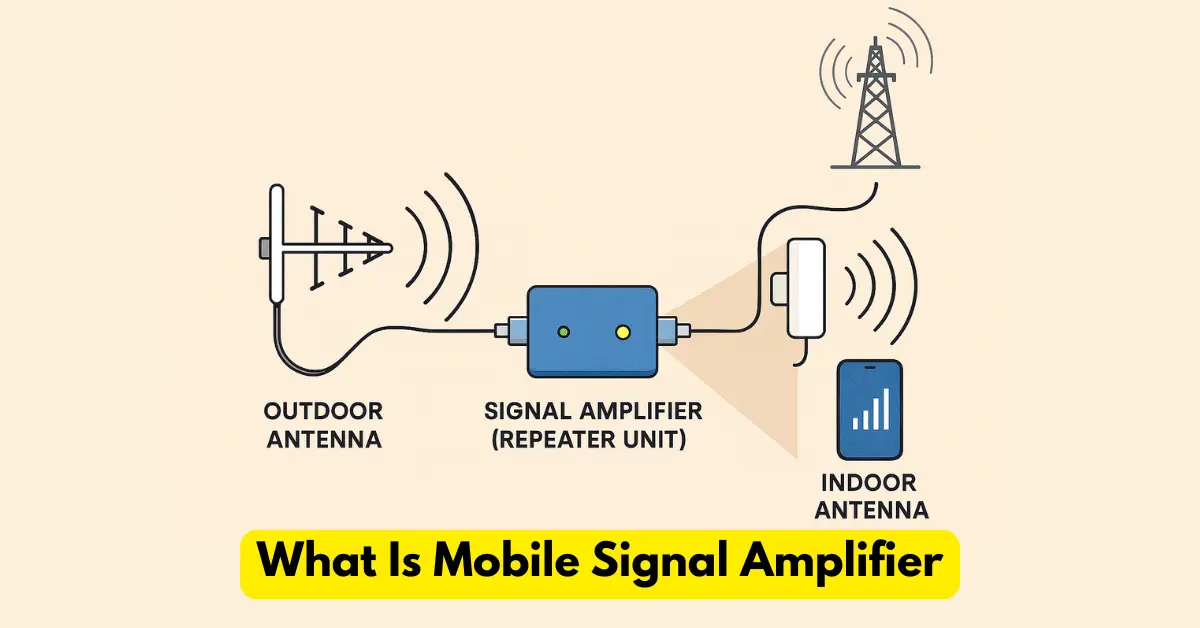
Weak mobile signal is one of the most frustrating problems today. Call drops during an important conversation, slow internet speed when you need it the most, or zero signal inside your home or office—it’s a struggle millions face daily. This is where a Mobile Signal Amplifier (also called Mobile Signal Booster or Network Booster) comes in. But what exactly is it? And how does it really work? Let’s break it down in simple terms. 1. What is a Mobile Signal Amplifier? A Mobile Signal Amplifier is an electronic device that strengthens weak mobile signals from nearby cell towers and retransmits them inside your home, office, car, or any other building. In short, it works like a bridge between your mobile phone and the cell tower, ensuring you get clear calls, faster internet, and stable connectivity. Think of it as a loudspeaker for mobile signals—it takes a weak signal and makes it stronger so your phone can use it effectively. 2. Why Do We Need Mobile Signal Amplifiers? Mobile networks often fail to provide strong signals everywhere due to: Distance from the cell tower (common in villages & rural areas) Obstructions like walls, concrete, or metal roofs (apartments, basements, offices) High user load on a network (crowded places, urban areas) Geographical challenges (hills, valleys, remote locations) A signal amplifier fixes these problems by pulling in the weak signal, amplifying it, and spreading it indoors. 3. How Does a Mobile Signal Amplifier Work? (Step-by-Step) A standard signal amplifier has three main components: a) Outdoor Antenna Installed outside (on a rooftop, wall, or pole). Captures weak mobile signals from the nearest cell tower. b) Signal Amplifier (Repeater Unit) The “brain” of the system. Boosts the captured signal, filters out noise, and prepares it for redistribution. c) Indoor Antenna Installed inside your home, office, or car. Rebroadcasts the amplified signal so your phone receives strong network coverage. 👉 Working Process Simplified: Outdoor antenna catches weak signal. Amplifier strengthens the signal. Indoor antenna delivers strong signal to your phone. Result: Clear voice calls, faster internet, and no more call drops. 4. Benefits of Using a Mobile Signal Amplifier 📶 No More Call Drops – Smooth, uninterrupted conversations. ⚡ Faster Internet Speed – 4G & 5G work at full potential. 🏠 Better Indoor Coverage – Strong network in every corner. 🚗 Works in Vehicles – Stay connected while traveling. 💼 Boosts Productivity – Ideal for offices, shops, schools, and businesses. 5. Is It Legal to Use Mobile Signal Amplifiers in India? Yes, but with conditions. TRAI (Telecom Regulatory Authority Of India) allows the use of mobile signal boosters that are operator-approved and TRAI-compliant. Unauthorized or illegal boosters may cause interference in networks. 👉 Always buy certified amplifiers from trusted providers to avoid penalties and ensure safe use. 6. Things to Consider Before Buying a Signal Amplifier ✔️ Compatibility with JIO, Airtel, Vodafone, BSNL. (Any Network Provider) ✔️ Coverage area (Home, Office, Industries, or Large Building). ✔️ Number of users supported. ✔️ Frequency bands (Single-band for one operator, Multi-band for multiple operators). ✔️ TRAI certification and warranty. 7. Common Myths About Mobile Signal Amplifiers ❌ “Amplifiers create signals.” – No, they only boost existing weak signals. ❌ “They are harmful to health.” – Certified boosters are 100% safe and emit lower radiation than mobile phones. ❌ “One booster works everywhere.” – You need the right booster type based on your operator and location. FAQs Q1: Do mobile signal amplifiers work without internet?Yes. They don’t need Wi-Fi or broadband. They only amplify existing mobile tower signals. Q2: Will a signal amplifier work if there is no signal at all?No. You need at least a weak signal outside for the amplifier to boost. Q3: Can I use one amplifier for multiple operators?Yes, if the amplifier is multi-band, and supports multiple frequency bands. Q4: Are mobile signal amplifiers safe for health?Yes, certified boosters are completely safe and emit lower radiation compared to phones. Q5: Do I need professional installation?For small homes, DIY installation works. For offices or large spaces, professional installation is recommended. A Mobile Signal Amplifier is the ultimate solution for weak network coverage, call drops, and slow internet. Whether you live in a rural village, a high-rise apartment, or run a busy office—this device ensures seamless connectivity and faster data speeds. 👉 If you’re tired of poor signal strength, explore our range of Mobile Signal Boosters at MobileSignalAmplifier.com and experience the difference today!