
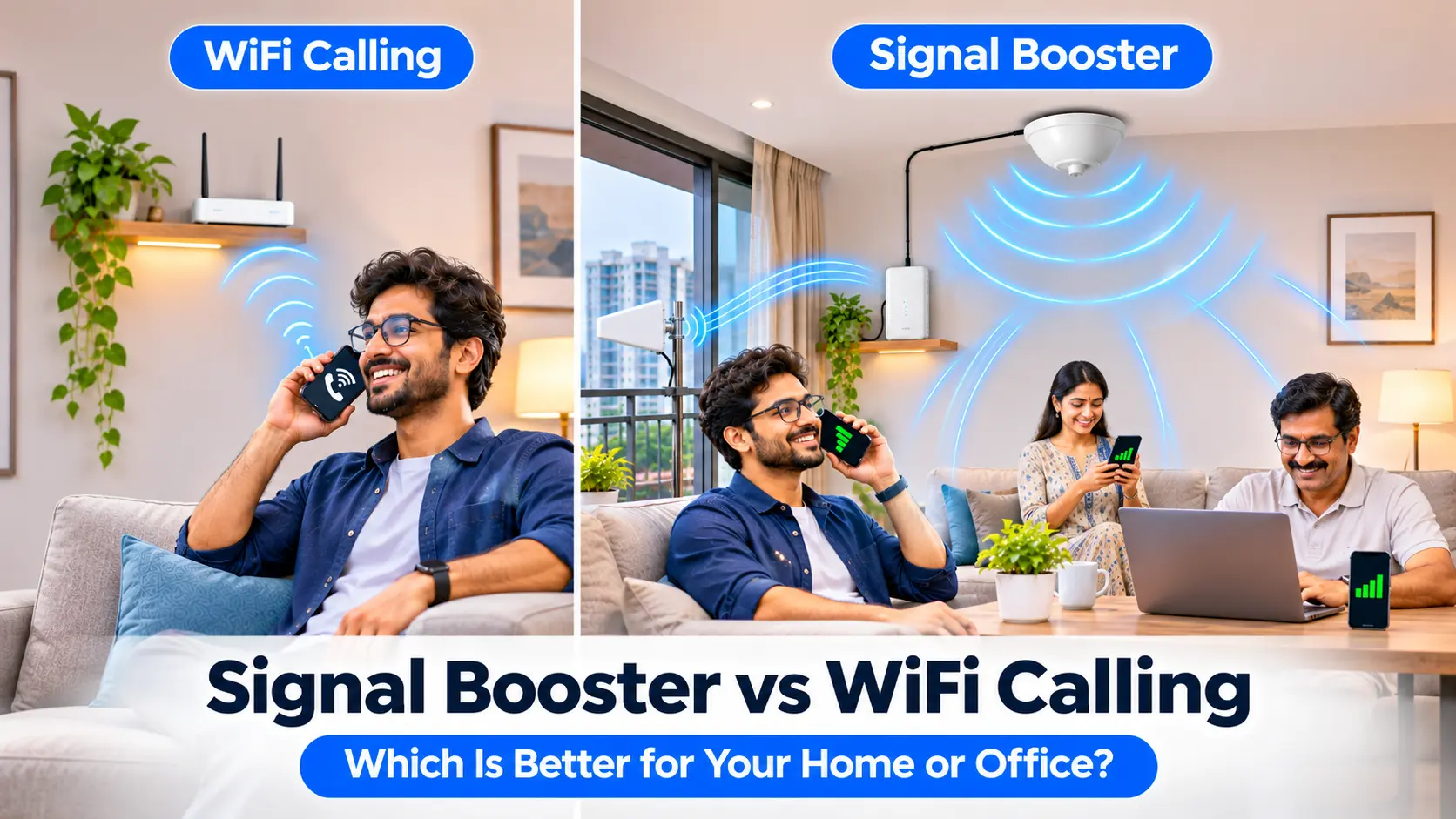
Weak indoor mobile signal is a daily problem in many Indian homes and offices. Reinforced concrete (RCC), coated glass, steel frames and neighbouring buildings block the signal before it reaches your rooms. The result: dropped calls, missed messages, delayed OTPs and slow mobile data.
The two most common fixes are WiFi calling (VoWiFi) and a mobile signal booster. Both help you make calls indoors, but they work in completely different ways. This guide compares them on cost, coverage, reliability and who each one suits, so you can pick the right fix for your home or business.
What Is WiFi Calling and How Does It Work?
WiFi calling, or Voice over WiFi (VoWiFi), lets your phone make and receive normal calls and SMS over your home or office WiFi instead of the mobile tower. You keep your own number, and calls are charged from your normal plan.
Jio, Airtel and Vi support WiFi calling on most modern smartphones, and BSNL has been rolling it out in some circles. You don’t need an app: once it’s switched on in your phone settings, the phone uses WiFi for calls whenever the mobile signal is weak.
Behind the scenes, the phone creates a secure, encrypted connection over your broadband to your operator’s network. The operator then handles the call much like a normal VoLTE call.
How to turn on WiFi calling
- Android: open Settings > Network & internet (or Connections) > SIMs, pick your SIM and switch on Wi-Fi calling. The exact menu names vary by phone brand.
- iPhone: open Settings > Phone > Wi-Fi Calling and switch on Wi-Fi Calling on This iPhone.
If you can’t find the option, update your phone’s software and check that your operator supports WiFi calling on your phone model.
Limitations of WiFi Calling
WiFi calling is a convenient, free fix for one person or one family with good broadband. But it has limits when you rely on it as your main way to stay reachable indoors.
1. It depends completely on broadband and power
WiFi calling needs a stable fixed broadband connection. If your internet goes down, slows down or lags, call quality drops straight away. During a power cut, the router switches off unless it’s on an inverter or UPS, and WiFi calling stops with it.
2. Calls can drop when you move
Phones are meant to switch smoothly between WiFi calling and the mobile network. In practice, walking out of the house during a call often causes choppy audio or a dropped call. Heavy streaming or downloads on the same WiFi can also make voice break up.
3. It only works for phones on your WiFi
Visitors, clients, staff and delivery people get no benefit unless you give them your WiFi password. For offices, shops, clinics and warehouses, that creates security risks and hassle.
4. Not every phone supports it
Older smartphones, basic feature phones and phones with outdated software may not support WiFi calling. Support can also differ between the two SIMs on some dual-SIM phones.
5. It doesn’t fix your mobile signal
WiFi calling covers calls and SMS over broadband. It doesn’t improve the actual mobile signal indoors. Mobile data stays slow, and if broadband fails, your phone falls back to the same weak signal as before.
What Is a Mobile Signal Booster and How Does It Work?
A mobile signal booster (also called a signal amplifier or repeater) picks up the existing signal outside your building, amplifies it and sends it out inside. Because it improves the real mobile signal, every phone indoors benefits for calls, SMS and mobile data, without WiFi or passwords. For a fuller explanation, see what a mobile signal amplifier is and how it works.
Parts of a signal booster system
- Outdoor (donor) antenna: mounted on the roof, terrace, balcony or outer wall, pointing toward the tower to capture the best signal.
- Coaxial cable: carries the signal between the antennas and the booster with little loss.
- Booster unit: amplifies the signal coming from the tower (downlink) and the signal going back from phones (uplink).
- Indoor (service) antenna: mounted on a ceiling or wall to spread the boosted signal through rooms, offices, basements or corridors.
A booster needs some usable signal outside to work; it cannot create signal where there is none. And while a stronger signal means steadier calls and fewer data drops, actual data speed also depends on tower capacity, congestion, supported bands and your phone.
Signal Booster vs WiFi Calling: Key Differences
| Feature | WiFi Calling (VoWiFi) | Mobile Signal Booster |
|---|---|---|
| Cost | Free (uses your existing broadband) | One-time hardware cost; home kits from ₹12,999 |
| Needs broadband | Yes, always | No |
| Needs outdoor signal | No | Yes, some usable signal outside |
| Who benefits | Only phones connected to your WiFi | Every phone in the coverage area, on supported networks and bands |
| Visitors and staff | Need your WiFi password | Connect automatically |
| Mobile data | Not improved | Steadier, as the signal is stronger |
| SMS and OTPs | Usually works, can be patchy on some phones | Works like normal outdoor signal |
| Power cut | Stops unless the router is on inverter/UPS | Stops unless the booster is on inverter/UPS (it uses little power) |
| Large or multi-floor buildings | Limited to WiFi range | Can be extended with more indoor antennas |
When to Use WiFi Calling vs a Signal Booster
Neither option is best for everyone. It depends on how many people need signal, your broadband, and the size of your space.
WiFi calling is the better choice when:
- It’s just you or your family: you have reliable fibre broadband and only lose signal in one or two rooms.
- You want a free fix first: switching on WiFi calling costs nothing, so it’s a sensible first step before buying anything.
- You work from home near the router: your calls stay on your own phone, close to good WiFi.
A signal booster is the better choice when:
- Offices and shops: staff, clients and visitors use Jio, Airtel, Vi and BSNL, and you don’t want to share your WiFi.
- Large or multi-floor homes: thick concrete floors and coated glass make both WiFi and mobile signal patchy.
- Warehouses and factories: large spaces where running WiFi just for calls is costly or unreliable.
- Basements and parking: signal doesn’t reach below ground, but an antenna on the roof can capture it and bring it down by cable.
- Hotels, hospitals and clinics: many visitors who expect their phones to simply work, without logging in to WiFi.
- Unreliable broadband: you need to stay reachable even when the internet is down.
Or use both
Many homes and offices get the best results from both: a booster for steady signal, calls and mobile data for everyone, and WiFi calling as a backup on the phones that support it.
What to Check Before Buying a Signal Booster
1. The outdoor signal
Measure the signal strength in dBm on your roof, terrace, balcony or near windows. Our guide on how to check mobile network strength shows how. If there is a usable signal outside, a booster can bring it indoors. If the outdoor signal is very weak, a high-gain directional antenna helps.
2. Your operator’s bands
Each operator uses specific frequency bands, and a booster only amplifies the bands it is built for. In India, 4G runs on 850, 900, 1800, 2100, 2300 and 700 MHz, and 5G mainly on n78 (3500 MHz). Jio, Airtel, Vi and BSNL use different combinations, so see our Jio, Airtel, Vi and BSNL frequency bands guide before you buy, and read 4G vs 5G signal booster if you’re unsure which you need.
3. Proper installation
The outdoor and indoor antennas must be well separated, or the booster picks up its own signal (oscillation) and cuts its power. Our step-by-step guide on how to install a mobile signal booster explains antenna placement, cable routing and testing.
Frequently Asked Questions
Does WiFi calling work with no mobile signal at all?
Yes. As long as your phone is connected to working WiFi and your SIM is active, you can make and receive calls even with zero mobile signal.
Does WiFi calling cost extra in India?
No. Jio, Airtel and Vi don’t charge extra for WiFi calling. Calls and SMS come out of your normal plan, and the call uses a small amount of your broadband data.
Does a signal booster increase internet speed?
Often, yes, because a stronger signal gives a steadier 4G or 5G connection. But speed also depends on tower capacity, congestion and your phone, so a booster can’t fix an overloaded tower.
Can a signal booster work if there is no signal outside?
No. A booster amplifies existing outdoor signal. If there’s no usable signal anywhere on your roof, balcony or outer walls, it has nothing to amplify. In that case, WiFi calling is the better option.
Can one signal booster work for all networks?
It depends on the bands it supports. A multi-band booster that covers the bands used by Jio, Airtel, Vi and BSNL in your area can boost all of them at the same time.
Will WiFi calling work on older phones?
Not always. WiFi calling needs support from the phone, its software and your operator. Older smartphones and basic feature phones often don’t support it.
Is a signal booster better than a WiFi extender?
They solve different problems: a booster improves mobile signal, while a WiFi extender improves WiFi coverage. See mobile signal booster vs WiFi extender for the full comparison.
Conclusion
If it’s just you, your broadband is reliable and only a room or two has weak signal, switch on WiFi calling first. It’s free and takes a minute. If many people on different networks need signal, your broadband isn’t dependable, or you need steady SMS, OTPs and mobile data across a larger space, a mobile signal booster is the stronger, long-term fix. And for many homes, using both works best.